
Vinaora Nivo Slider

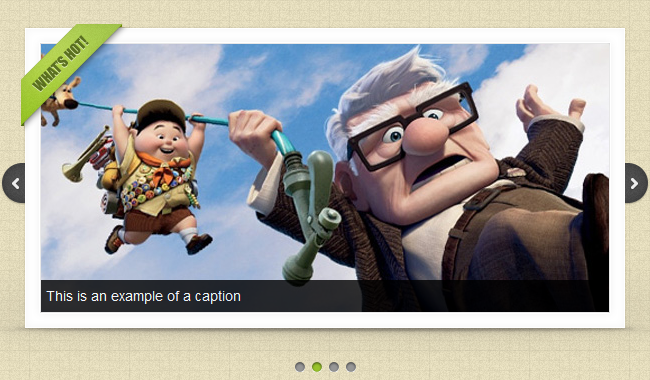
Vinaora Nivo Slider is a great slideshow module for Joomla. It allows you to easily create an image slider (slideshow) using Nivo Slider. This javascript slider created by dev7studios and was the world’s most awesome jQuery slider. It also installed on many WordPress websites, too. It’s absolute free to use.

You can choose 3 slick themes to show your gallery. Not same as Vinaora Slick Show or Vinaora Cu3er 3D Slideshow, this slider supports up to 16 unique transition effects without using flash. Vinaora Nivo Slider has been tested in Joomla 1.6, Joomla 1.7 and well-known browsers: Internet Explorer 7+, Firefox 3+, Google Chrome 4+, Safari 4+ and Opera 10+.

Screenshots
Features

  • ,  compatibility
  • 3 demos included
  • 3 Slick Themes
  • 16 unique transition effects
  • Simple clean & valid markup
  • Loads of settings to tweak
  • Built in directional and control navigation
  • Supports linking images
  • Keyboard Navigation
  • Free to use

How to run demo

Open menu “Module Manager“, double click “Vinaora Nivo Slider” module, and then go to “Advanced Options“. In “Alternative Layout”  section, choose one demo from the drop-down list. 

FAQs

  • Does the Vinaora Nivo Slider support transparent PNG’s?
    No. Due to the way slide transitions work it will look weird.
  • Can I use images that are different sizes?
    No. Once the slider has loaded it won’t change size (it is set to the size of the largest image). So make sure all of your images are the same size.
  • Can I have multiple sliders on the same page?
    Yes but you will need to use jQuery v1.4 or greater for it to work.
  • Can I set a random starting slide?
    Yes but you will need to install Vinaora Nivo Slider 1.7.4 or greater. And choose startSlide = 0

Download Vinaora Nivo Slideshow

Joomla Hosting
Joomlart Templates

RocketTheme Templates
Web Hosting

79 Comments + Add Comment

  • I would like to format the text inside of the caption area for each slide. Is there any way to do this? I tried adding and tags into the Titles field in the basic options area but it just removes them. Any ideas?

  • Nice Joomla extensions.
    Thanks for the best tool.
    Giood luck!

  • I can’t upload this to joomla
    i get this error “There was an error uploading this file to the server.”
    im using joomla 1.7.2

  • Very clean and great transitions. Is there documentation on this module, though? I am not sure how to separate the links for each slide image.

  • Dear Admin,
    The vinaora cu3er slideshow is not working on my site. Please help. The site is pwsmun.pathways.in

    Secondly, my drop down menu is covered by the slideshow… is there any way to fix that.
    Any help is highly appreciated.

    please visit http://www.pwsmun.pathways.in

  • Installation seemed to run smoothly i.e. no error messages. However the extension isn’t working properly and it shows an error message in the parameters Basic Options …

    Warning: is_dir() [function.is-dir]: open_basedir restriction in effect. File(/media/mod_vt_nivo_slider/themes) is not within the allowed path(s): (/home/flights/:/tmp:/var/tmp:/usr/local/lib/php/)…

    any ideas for a possible fix??

  • Hello, sorry for my English.

    I have a problem with the module Vinaora Nivo Slider joomla template from this.

    Install the template perfectly, then the modules and each slider, then set it up and get nothing but display the images that come with the demo program disney pixar drawings. In the Module Manager basic options, choose the directory of the images I created with the name “stories” but when viewing the site I get the message: JFolder:: files: Path is not a folder. Path: / Applications / XAMPP / xamppfiles / htdocs / name / images / stories / stories

    That is to select the default theme and as an alternative design. If I change any of the other options are default images of the demos (Disney Pixar) and I get on top the same message … I tried to change the image directory basic options – none selected – no I get no message, but not seen any pictures of those introduced in the “stories”.

    I need urgent help.

    Thank you very much.

    • I fixed this problem by changing the “slider” directory name to “stories. The directory now is “images/stories/stories/ .

  • This is a great Joomla module! Thanks. I have a question. Does it load the first image to the browser and display it first, and then send the rest of the images to the browser in the background?

  • I can not make it work in joomla 1.7.2, only the demos work.

  • Great module! I had applied it to one of my webs with joomla’s template. But I have same problem with PatrickVisser, is there anyone can fix it?

  • I can’t install this to joomla 1.7
    i get this error “There was an error uploading this file to the server.”
    im using joomla 1.7.3

    Who can help me with this error???

  • There is an error in this module and I have no idea how to solve it. I cannot select an images folder from the dropdown. I have installed the module on a clean 1.7.x and the first time you go to the module the dropdown for the images folder appears. but after saving and then re-opening the module I cannot select anything from the dropdown list.

    Please help I need this module to work!

  • Hi,

    my problem on joomla 1.7 with the Nivo slider:

    Warning: is_dir() [function.is-dir]: open_basedir restriction in effect. File(/media/mod_vt_nivo_slider/themes) is not within the allowed path(s): (/home/flights/:/tmp:/var/tmp:/usr/local/lib/php/)…

    any ideas for a possible fix??

    THX yofun

  • SOLUTION FOR: “There was an error uploading this file to the server.”
    The problem is that your php.ini file is still at 2M and should be at 4M.
    Open php.ini and search for (Ctrl+F) upload_max_filesize . Just make it 4M, restart web service and there you are done
    Bye
    Predator

  • hi,

    have the same trouble ‘PatrickVisser’, ‘informasiku’ and ‘yofun’ already reported :-(

    Warning: is_dir() [function.is-dir]: open_basedir restriction in effect. File(/media/mod_vt_nivo_slider/themes) is not within the allowed path(s): …

    if anyone could help me (us) with that please! as i’m new to joomla, i don’t really know where to start searching for.

    greets

  • Hi,

    sorry for my english. I installed the module and the sliders (images/slider/slider1.jpg, slider2.jpg…), but nothing happens. I see just the circle. Any ideas? Or step by step installation infos? Please urgent help. Thank you!!

    Joomla 1.7

Leave a comment

You must be logged in to post a comment.